



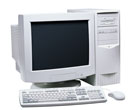

Overview of the PC Keyboard
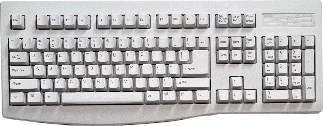
The keyboard is the primary user input device. It enables you to communicate with your computer. While the mouse is also a fundamental device to control the PC, the keyboard goes one step further by allowing you to enter specific information as opposed to simply pointing and clicking.
Caution: Please read our safety information before attempting any testing or repairs.
The keyboard connects to the computer through a wire, although wireless keyboards are also available. Variations of the classic keyboard include the addition of action specific buttons, most commonly for Internet features, and split keyboards which angle the two halves of the keyboard to reduce stress on your wrists as you type.
The keyboard connects to the PC with one of three style of connectors. The 5 pin DIN connector is now obsolete, being replaced by the smaller but similar looking PS/2 connector. Keyboards using a USB connector are now the most common. Wireless keyboards transmit to a receiver and the receiver connects to the PC using a wired connection.
Keyboards rarely require an additional driver (beyond what is installed with the operating system). Occasionally keyboards offer features that are supported by add-on software that must be installed in order to use the feature set.


