|
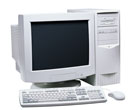
The case is essentially a shell and not prone to causing operating problems. However, here are a few instances where the case may at the root of the problem. This troubleshooting guide can help you to identify the soure of a problem.
|
Symptom |
Check
Click on underlined items for further information |
It makes a squealing or other loud noise | - The power supply fan is failing and needs replacement. Usually the power supply is replaced, but some PC cases have the power supply permanently installed. Replace the case with one that has removable power supply.
|
Nothing happens when I turn on the PC | - Check that it is securely plugged into the outlet and into the back of the PC.
- Check that the outlet has power.
- Check for a second power switch near the power supply.
- The main power switch has failed and needs to be replaced.
- The power supply has failed and needs to be replaced.
|
I hear a rattling sound | - Make sure that the case shell or cover is properly installed and secured.
|
The PC randomly shuts itself off | - The power supply could be overheating, check that the fan is working.
- Check any secondary cooling fans for proper operation.
- The power supply could be failing.
- Clean out all dust and clear the air intakes.
- Make sure that the case shell or cover is properly installed and secured.
|